


Gate Pay offers two merchant refund methods: Manual Refund via Merchant Dashboard and API Refund
Merchant Dashboard Refund Instructions
Merchants can process full or partial refunds directly through the merchant dashboard.
Log in to the merchant dashboard, select [Trade] - [Payment] to access the payment order page. You can search for refund orders using either the merchant order number or Gate Pay order number. Then, click the Refund button to enter the refund page.
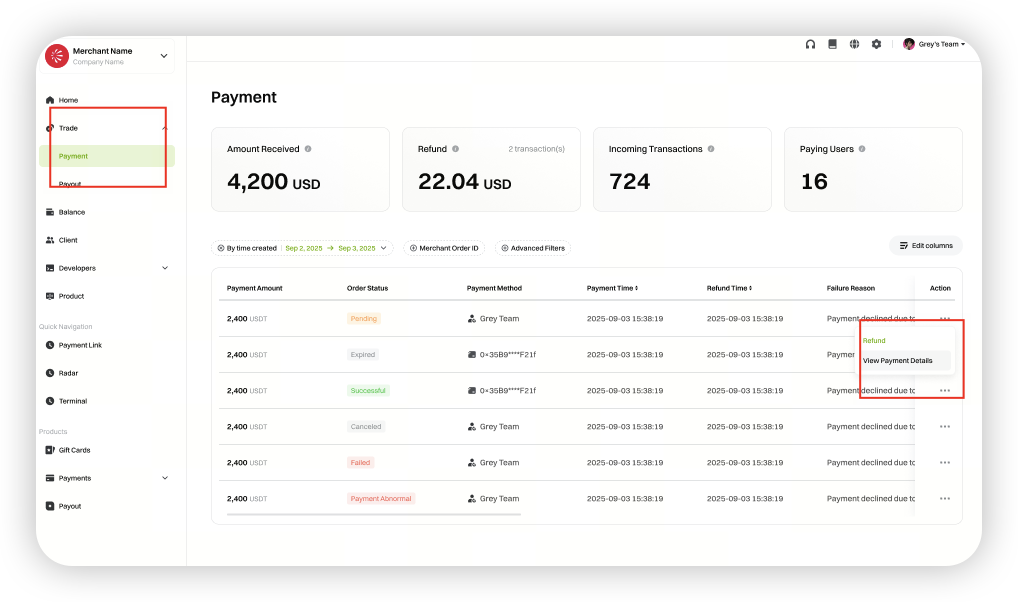
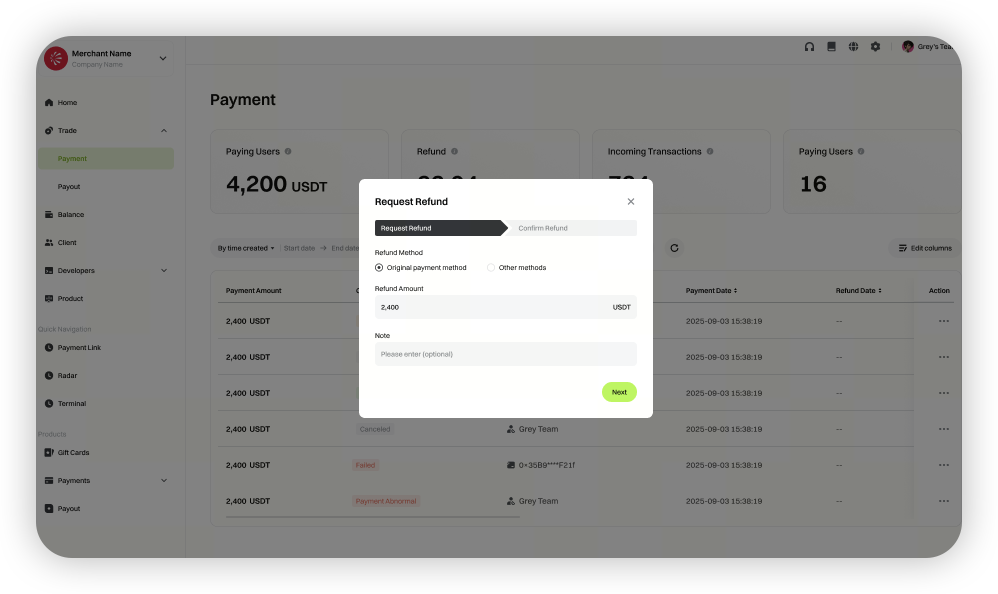
Option 1: Refund to Original Payment Method
Select [Original Payment Method] and enter the refund amount to process the refund.
(If the merchant chooses to cover the transaction fee, the consumer will receive the full refund amount, and the on-chain fee will be deducted separately from the merchant’s payment account. If the consumer covers the fee, the actual amount received = refund amount - transaction fee, and the on-chain fee will be deducted from the refund amount.)
Option 2: Refund via Other Methods
-
Gate Pay
Gate Pay only supports refunds to Gate users. To refund via Gate Pay, enter the recipient’s Gate UID and the refund amount.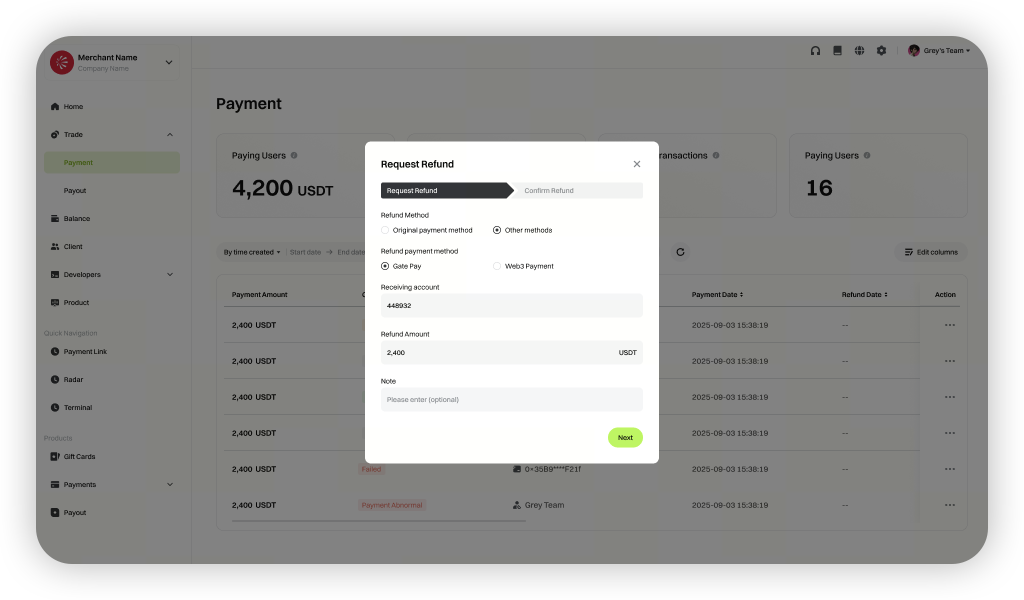
-
Web3 Payment
To refund via Web3 Payment, enter the recipient’s account, refund amount, and select who will cover the transaction fee.
(If the merchant covers the fee, the consumer receives the full refund amount, and the on-chain fee is deducted separately from the merchant’s payment account. If the consumer covers the fee, the actual amount received = refund amount - transaction fee, and the on-chain fee is deducted from the refund amount.)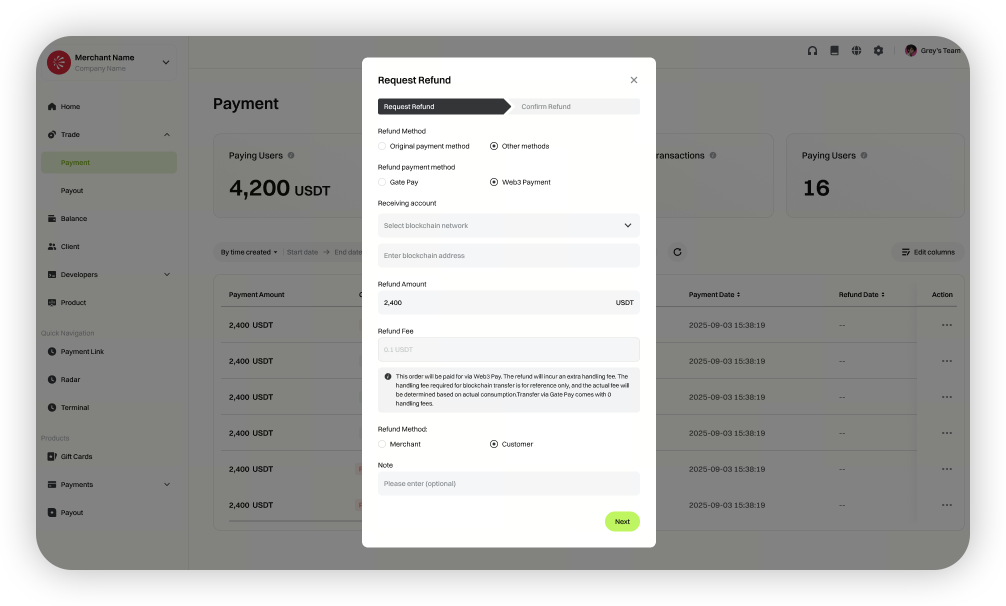
API Refund Instructions
Merchants can initiate order refunds by calling the corresponding refund API provided by Gate Pay for each payment method.
Order Refund Parameter Details
Checkout payments include On-chain Address Payment and QR Code Payment.
For non-checkout address payment orders, the refund logic can reference the refund processing method for checkout on-chain address payments.
API parameter settings depend on the specific refund scenario. Key parameter descriptions are as follows:
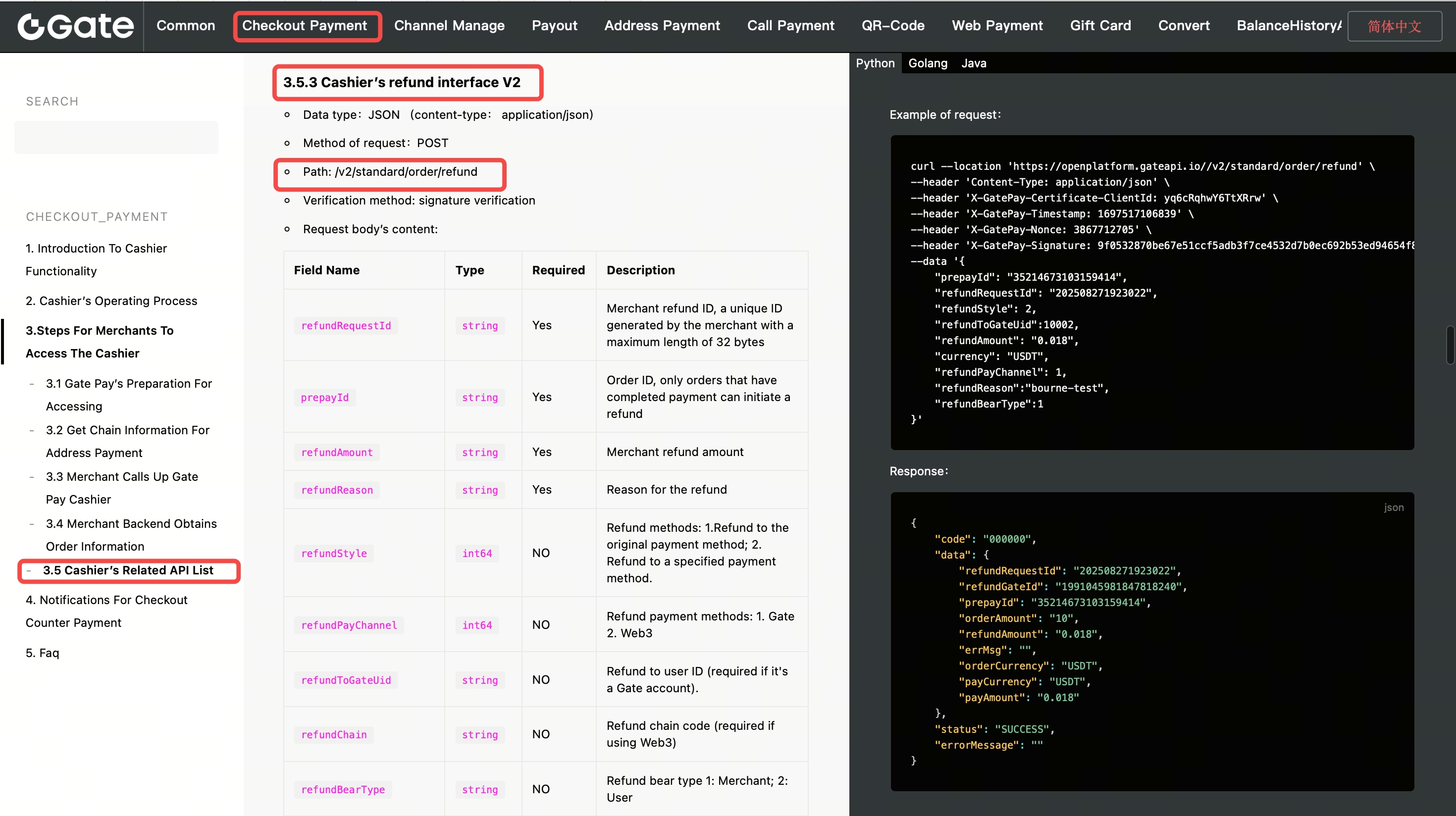
“refundAmount” : Refund amount must not exceed the actual amount received in the merchant’s balance account
“refundStyle” : Refund address type. Merchants can choose from the following methods:
Refund to Original Address : Refund to the user’s original payment address
Refund to Specified Address : Refund to a merchant-designated on-chain address
“refundPayChannel” : Refund channel. Merchants can select:
Gate Centralized Refund : Refund to the user’s Gate account
On-chain Refund : Refund to the user’s Web3 address
“refundBearType” : Applicable only for Web3 on-chain refunds, used to specify the party responsible for the transaction fee (Gas Fee). If this parameter is not provided, the merchant will cover the fee by default:
Merchant covers fee : Fee is deducted from the merchant’s balance
User covers fee : Fee is deducted from the refund amount
Refund Fees
Please refer to the withdrawal fee query interface at https://www.gate.com/docs/gatepay/withdraw/en/#_3-5-query-withdrawal-fee
The content provided herein is for reference and educational purposes only and does not constitute any financial, investment, trading, or legal advice, nor does it constitute an offer or solicitation to buy or sell any digital assets. Gate makes no express or implied representations or warranties regarding the accuracy, completeness, or timeliness of the information contained herein. Product features, interfaces, rules, and fee structures may be updated or adjusted at any time. Please refer to the latest announcements and the actual information displayed on the Gate platform for the most accurate details.
Digital asset investments involve significant risk, and prices may fluctuate substantially. You may lose the entire amount of your investment. Please make decisions cautiously based on your own financial situation and risk tolerance after fully understanding the associated risks. If necessary, you are advised to consult an independent professional financial or legal advisor.
For more information about potential risks, please refer to Gate's Risk Disclosure and User Agreement.
